Posts

Showing posts with the label pencil sketch

Converting an Image into a Pencil Sketch in Photoshop
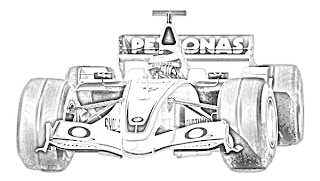
Image
here in this tutorial you will be creating a pencil sketch effect in a 1-2-3 method. Create a new document with Width 600, Height 340 and white color. Open an image in Photoshop. Click and drag this onto your document  Go to: Image > Adjustments > Desaturate Duplicate the image layer. You will now be working on the duplicate layer. Go to: Image > Adjustments > Invert Change its  Blend Mode   from  Normal  to  Color Dodge . Go to: Filter > Blur > Gaussian Blur. Make the following changes:   Set the Foreground and Background colors as 25% gray and white respectively. Select the Brush Tool and open Basic Brushes. Select Soft Mechanical Brush. Apply the brush on your image, however you like. you will get the final picture like below Thats it

How to make a Pencil Sketch

Image
This tutorial would deal with the “how to convert” a normal image into a classic pencil sketched photograph. The more you experiment with the techniques you’ll learn in this tutorial, the more different types of effects would you be able to create. Different features of Photoshop which would be used in this tutorial would be :     Layers     Blending Mode     Image Adjustment Layers     Filters I actually came up with this when I tried my hand at sketching! And trust me; it was not a pretty sight. So I did what I knew best! The answer to every modern day problem! I used Technology! And the reason that technology and its sub sets like the formation of the internet have grown so much is because of a mere action called “Sharing”! That is exactly what I am now! So lets Begin! Take  an image like this Once that is opened you need to know that to give a normal image a sketched look, you need to desaturate the ima...

convert an image to a pencil sketch

Image
There are many ways to convert an image to a pencil sketch using Photoshop. There are also some dedicated software in the market that automatically convert an photo to sketch. But the following method is simplest of all. You can easily convert any image to a very realistic looking pencil sketch in less than 2 minutes using this trick. How To Convert An Image To Pencil Sketch Using Photoshop? 1. Open the image in Photoshop (obviously ). If you already have the Layers Palette open then its fine. If not, then click on Window > Layers to open it. 2. Now create a copy of the current layer by choosing, Layer > New > Layer via Copy. We’ll call this layer as Layer1. 3. Select the Layer1. Desaturate it using, Image > Adjustments> Desaturate or by pressing Ctrl + Shift + U. This will remove all the colors from the Layer1. 4. Create a copy of Layer1. To do so, first make sure that Layer1 is selected in the layers pallete, then click on Layer > New > Layer via Copy. We’ll ...